
Introduction
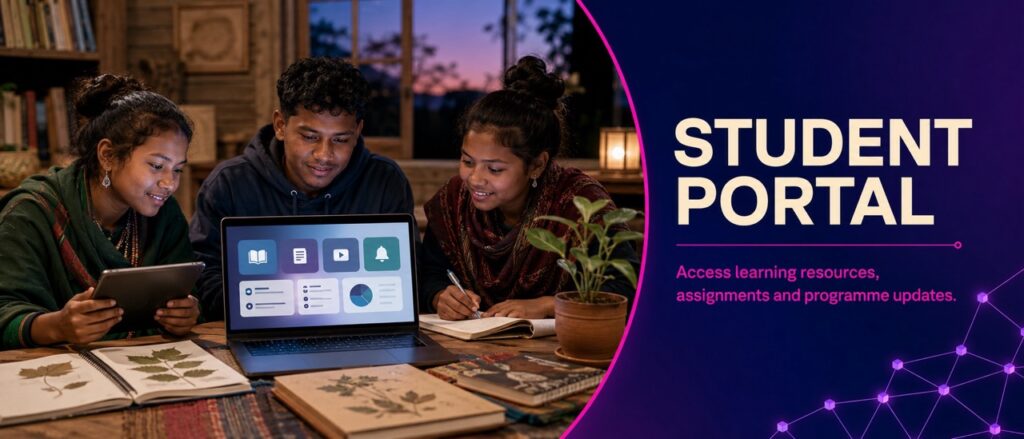
The Student Portal of Hodopathy can serve as a centralized digital learning, research, communication, and academic-development platform for students enrolled in Hodopathy training programs.
Building on the earlier framework of Training of Hodopathy, Courses & Workshops, Training Calendar, Faculty & Trainers, Research Methods, Evidence Standards, Publications & Reports, and Apply for Training, the Student Portal should connect the complete learner journey in one place:
Apply → Enroll → Learn → Practice → Assess → Research → Collaborate → Publish → Certify → Advance
The portal should be designed not simply as a website for viewing lessons, but as a future-ready academic and research ecosystem that encourages scientific thinking, evidence literacy, ethical conduct, practical learning, and continuous professional development.
Core principle: One portal for learning, research, mentorship, assessment, collaboration, evidence evaluation, and academic progress.
1. Purpose of the Student Portal
The primary purpose of the Student Portal is to provide students with convenient and organized access to everything required during their training.
Through one secure platform, students can potentially:
- 📚 Access courses and learning materials
- 🗓️ View the training calendar
- 👨🏫 Connect with faculty and trainers
- 📝 Submit assignments
- 🧪 Participate in practical research activities
- 📊 Complete assessments
- 🔬 Manage research projects
- 📖 Access publications and research resources
- 💬 Communicate with mentors
- 🎓 Monitor certification progress
- 📈 Track academic development
- 🌐 Participate in research communities
- 💻 Attend online classes and workshops
The objective is to create a seamless connection between education and research.
2. Student Dashboard
After login, every student can have a personalized dashboard showing the most important academic information.
Suggested Dashboard
Welcome to Your Hodopathy Learning Dashboard
- Current program
- Training level
- Course progress
- Upcoming classes
- Upcoming workshops
- Pending assignments
- Assessment status
- Research projects
- Faculty messages
- Mentor updates
- Certificates
- Research opportunities
- Recommended learning resources
A progress indicator can provide a simple visual overview:
Course Completion: 68%
Research Skills: 55%
Evidence Evaluation: 72%
Practical Training: 60%
This can help students understand their strengths and identify areas requiring additional development.
3. My Courses
The My Courses section should provide students with direct access to their enrolled programs.
Each course can contain:
- Course introduction
- Learning objectives
- Faculty information
- Modules
- Video lessons
- Reading materials
- Research papers
- Practical exercises
- Assignments
- Quizzes
- Discussion areas
- Assessments
- Course completion status
Students should be able to continue learning from where they previously stopped.
Example Learning Structure
Module 1 — Foundations
↓
Module 2 — Research Methods
↓
Module 3 — Evidence Standards
↓
Module 4 — Practical Research
↓
Module 5 — Data & Analysis
↓
Module 6 — Research Project
↓
Final Assessment
This provides a clear progression from basic knowledge to advanced research capability.
4. Learning Management System
The portal can function as a complete Learning Management System (LMS).
Students may be able to:
- Watch recorded lectures
- Attend live classes
- Download approved learning resources
- Take notes
- Bookmark important content
- Complete quizzes
- Submit assignments
- View faculty feedback
- Track module completion
- Review previous lessons
The system can automatically record learning progress while giving students control over their own learning journey.
5. Training Calendar
The Student Portal should integrate directly with the previously developed Training Calendar of Hodopathy.
Students can see:
- Upcoming courses
- Live classes
- Workshops
- Research seminars
- Faculty sessions
- Examinations
- Project deadlines
- Conferences
- Research presentations
- Certification events
A personalized calendar can show only events relevant to the student’s enrolled program.
6. Faculty & Mentor Connection
The portal can create a direct academic connection between students and faculty.
Students may be able to:
- View assigned faculty
- Request mentoring
- Ask academic questions
- Schedule mentoring sessions
- Receive project feedback
- Discuss research ideas
- Track supervisor comments
- Participate in faculty-led discussions
For advanced learners, a Research Mentor Dashboard can connect students with appropriate supervisors according to their research interests.
7. Research Workspace
One of the most important advanced features should be a dedicated Student Research Workspace.
This section can allow students to organize their research activities.
Research Workspace Components
- Research topic
- Research question
- Background literature
- Hypothesis
- Study design
- Research objectives
- Methodology
- Data collection plan
- Ethical considerations
- Data analysis
- Results
- Discussion
- Limitations
- References
- Final report
This can transform the portal from a conventional education platform into a research-development environment.
8. Evidence Evaluation Center
Because Evidence Standards of Hodopathy are central to the training framework, the portal should include an evidence-evaluation area.
Students can learn to classify information according to its level and quality.
For example:
Conceptual Evidence
→ Traditional/Historical Information
→ Anecdotal Evidence
→ Laboratory Evidence
→ Observational Evidence
→ Controlled Research
→ Randomized Research
→ Replication
→ Evidence Synthesis
Students can practice evaluating research rather than simply collecting information.
Evidence Review Tools
The portal could provide structured questions:
- What was studied?
- What was the study design?
- How large was the sample?
- What outcomes were measured?
- Was there a comparison group?
- What biases may exist?
- Are the findings statistically and practically meaningful?
- Can the findings be replicated?
- What limitations were reported?
- What remains uncertain?
9. Digital Research Library
The Student Portal can provide a centralized research library containing approved educational and research resources.
Possible categories include:
- 📚 Research papers
- 📖 Review articles
- 🔬 Research reports
- 📊 Evidence reports
- 🧪 Laboratory resources
- 🥗 Nutrition research
- 🌿 Plant research
- 🌍 Environmental research
- 💻 Digital health research
- 🤖 AI and data-science resources
- 📑 Research methodology guides
- ⚖️ Ethics resources
A search and filtering system can help students quickly locate relevant material.
10. Assignment Management
Students should be able to manage assignments directly from the portal.
Each assignment can display:
- Assignment title
- Instructions
- Learning objective
- Submission deadline
- Submission status
- Faculty feedback
- Evaluation score
- Revision requirements
Possible assignments include:
- Literature reviews
- Evidence assessments
- Research questions
- Study-design exercises
- Data-analysis tasks
- Scientific writing
- Research presentations
- Practical projects
11. Assessment & Examination Center
The portal can provide an integrated assessment system.
Possible assessment formats include:
- Multiple-choice questions
- Short-answer questions
- Case-based exercises
- Research-methodology problems
- Evidence-appraisal tasks
- Data interpretation
- Practical assessments
- Research presentations
- Final projects
Students can view their results and, where appropriate, receive feedback explaining areas for improvement.
The focus should be on competency development rather than memorization alone.
12. Student Progress & Competency Tracking
A powerful future feature would be a Student Competency Profile.
Instead of showing only course completion, the portal can track development across major competencies.
Example
| Competency | Progress |
|---|---|
| Scientific Literacy | 75% |
| Research Methodology | 68% |
| Evidence Evaluation | 72% |
| Data Analysis | 55% |
| Scientific Writing | 65% |
| Research Ethics | 90% |
| Practical Research | 60% |
This gives students a clearer picture of their academic development.
13. Personalized Learning Recommendations
The portal can eventually use learning analytics to recommend resources based on student progress.
For example:
Your evidence-evaluation assessment indicates that additional practice may be useful.
Recommended:
- Evidence Standards Module
- Critical Appraisal Workshop
- Research Bias Tutorial
- Evidence-Mapping Exercise
The goal is to create adaptive learning, where students receive appropriate educational support rather than following exactly the same pathway regardless of their needs.
14. AI-Assisted Student Support
AI can become an optional educational assistant within the Student Portal.
Possible uses include:
- Explaining difficult research concepts
- Generating study questions
- Helping organize notes
- Identifying potential research questions
- Assisting literature organization
- Explaining statistical concepts
- Providing feedback on research structure
- Creating personalized revision plans
However, AI should be treated as a support tool rather than an authority.
Students should be trained to verify AI-generated information against reliable sources and original research. AI should not replace qualified faculty, ethical review, scientific judgment, or independent validation.
15. Research Data & Analytics
Advanced students can have access to appropriate data-analysis tools.
The portal could support:
- Data organization
- Descriptive statistics
- Data visualization
- Research dashboards
- Basic statistical analysis
- Research-quality checks
- Longitudinal data tracking
For more advanced projects, integration with specialist statistical and analytical software may be appropriate.
Data privacy, security, consent, and ethical requirements should always be considered.
16. Student Discussion & Community
A moderated academic community can help students learn collaboratively.
Discussion areas may include:
- Research methodology
- Evidence evaluation
- Nutrition research
- Plant research
- Environmental studies
- Digital health
- Statistics
- Scientific writing
- Research opportunities
- Academic events
Students can discuss ideas, ask questions, share learning experiences, and collaborate on projects.
The community should follow clear rules against misinformation, harassment, plagiarism, unsupported medical claims, and misuse of research information.
17. Student Research Collaboration
The portal can help students discover potential collaborators.
A future Research Collaboration Board could show:
Research Topic → Skills Required → Project Stage → Faculty Supervisor → Available Opportunities
For example:
Project: Evidence Mapping in a Defined Research Area
Skills: Literature Review + Data Analysis
Level: Advanced
Supervisor: Assigned Faculty
Status: Accepting Student Researchers
This could encourage interdisciplinary learning and teamwork.
18. Publications & Student Research
Students who complete eligible research projects may be guided toward responsible scientific communication.
The portal can provide resources for:
- Research reports
- Poster presentations
- Conference abstracts
- Academic presentations
- Manuscript preparation
- Citation management
- Research data documentation
Publication should never be presented as guaranteed simply because a student completes a project. Research must meet the relevant methodological, ethical, authorship, and publication requirements.
19. Digital Certificate Center
Students can access eligible certificates through their portal.
The certificate section may display:
- Completed courses
- Training level
- Completion date
- Assessment status
- Certificate number
- Eligible continuing-development activities
A verification system could allow authorized institutions to confirm certificate authenticity without exposing unnecessary student information.
20. Notifications & Academic Alerts
The portal can provide timely notifications about:
- Class schedules
- Assignment deadlines
- Assessment dates
- Faculty messages
- Research opportunities
- Workshop registrations
- Certificate availability
- Training-calendar updates
Students should be able to control notification preferences where appropriate.
21. Student Profile
Each learner can have an academic profile containing relevant educational information.
Possible sections include:
- Training programs
- Completed courses
- Research interests
- Skills
- Projects
- Workshops
- Certifications
- Publications, where applicable
- Academic achievements
Students should control what information is publicly visible.
22. Privacy, Security & Academic Integrity
A professional Student Portal must place strong emphasis on privacy and security.
Important principles include:
- Secure authentication
- Appropriate access controls
- Data minimization
- Secure storage
- Privacy-aware analytics
- Responsible handling of research data
- Academic-integrity protections
- Plagiarism awareness
- Secure assessment systems
- Clear data-use policies
Students should receive clear information about how their educational and research data are collected, used, retained, and protected.
23. Student Support Center
A dedicated support section can help students resolve academic and technical issues.
Possible categories:
Academic Support
Course, assignment, research, and assessment questions.
Technical Support
Login, platform, video, submission, and access problems.
Research Support
Methodology, project documentation, data-analysis, and research-resource guidance.
Administrative Support
Enrollment, scheduling, certification, and training-related queries.
This creates a more complete student experience.
24. Career & Research Development
The Student Portal can eventually include a Career & Research Development Center.
Students can discover:
- Research internships
- Fellowships
- Workshops
- Conferences
- Research projects
- Advanced training
- Academic collaborations
- Mentorship opportunities
The system can recommend opportunities based on completed training and demonstrated competencies.
25. International Student Access
A future version of the portal can support international learners through:
- Multilingual resources
- Online classes
- International faculty sessions
- Time-zone-aware scheduling
- Digital certificates
- International research collaboration
- Global research seminars
This can help create a broader academic community while maintaining consistent educational and evidence standards.
26. Mobile-Friendly Student Experience
The portal should be optimized for desktop, tablet, and mobile devices.
Students should be able to:
- Watch lessons
- Read resources
- Check schedules
- Submit assignments
- Review feedback
- Join discussions
- Track progress
- Receive notifications
A mobile-first approach can make education more accessible without compromising the depth of the learning experience.
27. Future Virtual Research Environment
An advanced version of the Student Portal could evolve into a Virtual Research Environment.
Students could simulate:
- Research-question development
- Experimental design
- Data collection
- Statistical analysis
- Evidence evaluation
- Research decision-making
- Scientific peer review
Virtual simulations can provide research practice before students participate in real-world projects, subject to appropriate supervision and safety requirements.
28. Student Innovation Hub
The portal can also encourage innovation.
Students could submit ideas for:
- New research projects
- Educational tools
- Data platforms
- Evidence databases
- Digital-health concepts
- Research methodologies
- Community research initiatives
Selected ideas could receive faculty mentorship and develop into structured research proposals.
29. Student Feedback & Quality Improvement
The portal should include mechanisms for students to evaluate their learning experience.
Feedback can cover:
- Course quality
- Faculty teaching
- Learning resources
- Assessments
- Workshops
- Digital platform usability
- Research support
- Student services
Feedback should be analyzed systematically and used to improve curriculum and training quality.
30. Five-Year Development Roadmap
Year 1 — Build
- Launch Student Portal
- Student accounts
- Course access
- Training calendar
- Assignment submission
- Basic assessments
- Faculty communication
Year 2 — Integrate
- Research workspace
- Digital library
- Competency tracking
- Mentorship
- Certificate center
- Student community
Year 3 — Advance
- AI-assisted learning
- Data-analysis tools
- Personalized learning
- Research collaboration
- Digital research dashboards
Year 4 — Connect
- International learning
- Institutional collaborations
- Research networks
- Virtual research environment
- Student innovation programs
Year 5 — Lead
- Global student research network
- Advanced evidence platform
- Integrated research ecosystem
- AI-enhanced academic support
- Continuous evidence and curriculum updates
31. Complete Student Journey
The future Student Portal can connect the entire Hodopathy education ecosystem:
Apply for Training
↓
Admission & Orientation
↓
Student Portal Account
↓
Personalized Learning Plan
↓
Courses & Workshops
↓
Faculty & Mentorship
↓
Assignments & Assessments
↓
Practical Training
↓
Research Project
↓
Evidence Evaluation
↓
Research Collaboration
↓
Scientific Communication
↓
Certification
↓
Advanced Research & Professional Development
This creates a continuous pathway rather than treating training, research, and certification as separate activities.
Conclusion
The Student Portal of Hodopathy can become the digital foundation connecting students with education, faculty, research, evidence, technology, collaboration, and professional development.
Its most important purpose should not simply be to provide online lessons. It should help learners develop the ability to ask better questions, evaluate evidence critically, conduct research responsibly, analyze information carefully, recognize uncertainty, and communicate findings honestly.
By integrating the previously developed Training Programs, Courses & Workshops, Training Calendar, Faculty & Trainers, Research Methods, Evidence Standards, Publications & Reports, and Application System, the Student Portal can become a comprehensive and future-ready learning ecosystem.
Learn. Practice. Question. Research. Evaluate. Collaborate. Communicate. Advance.
The long-term vision is a student-centered platform where education leads to research, research leads to evidence, evidence leads to responsible knowledge, and continuous learning drives future innovation.